How to track employee attendance on mobile
Track employee attendance on mobile with apps, GPS and geofencing. Improve workforce visibility, reduce errors, and manage remote teams easily and efficiently.

Tracking employee attendance used to be simple. You had a register, a pen, and a strict-looking manager standing near the gate. Fast forward to today, and things look very different. People work from offices, homes, cafés, and sometimes from places where even Wi-Fi is uncertain.
So the real question is, how do you track employee attendance on mobile without turning it into a daily headache? Let's break it down in a simple, practical way with a bit of real-world humour.
Why mobile attendance tracking matters today
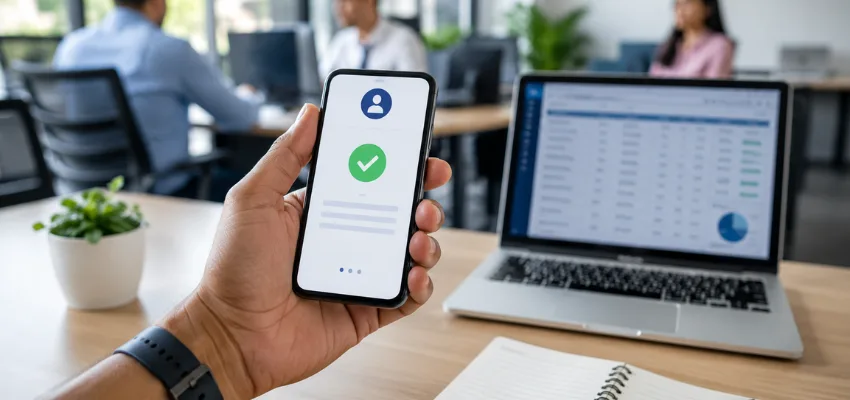
Gone are the days when attendance meant just punching a card at a machine. Now teams are flexible, remote, and often moving around. This is where a mobile workforce management system becomes useful for modern businesses.
A mobile attendance system is simply a way for employees to mark their attendance using smartphones instead of paper registers or biometric machines.
It helps businesses:
- Track working hours accurately using digital attendance tracking
- Reduce manual errors in records
- Save time for HR teams
- Manage remote and field employees easily with cloud-based attendance system tools
And honestly, it also reduces the classic excuse of "Sir, I was in traffic but forgot to mark attendance."
Ways to track employee attendance on mobile
There are several practical methods businesses use today. Let's look at the most common ones.
1. Mobile attendance apps
This is the most popular option. A mobile attendance tracking app allows employees to check in and check out directly from their phone.
Most employee attendance tracking apps include features like:
- One-tap attendance marking
- Work hour tracking through employee time tracking software
- Leave requests
- Daily reports
Some advanced apps even show a live dashboard for managers so they can clearly see workforce activity in real time. This improves overall workforce attendance management without making processes complicated.
2. GPS-based attendance tracking
GPS attendance tracking uses the phone's location to confirm where the employee is when they mark attendance. This is commonly used in field employee tracking systems.
For example, if your employee is supposed to be at a client site in Bangalore but checks in from a hill station in Coorg, the system will notice.
This method is widely used for:
- Field sales teams
- Delivery staff
- On-site technicians
It improves accountability and supports real-time employee tracking without constant supervision.
3. Biometric + mobile hybrid systems
Some companies still use biometric attendance systems like fingerprint or facial recognition at offices, but combine them with mobile apps for remote workers. This hybrid setup supports workforce attendance solutions for companies with both office and remote teams.
In simple terms:
- Office staff use biometric machines
- Remote staff use mobile attendance apps
It creates a balanced employee attendance monitoring system for modern workplaces.
4. Geofencing attendance
Geofencing attendance systems create a virtual boundary around the office or work site. Employees can only mark attendance when they enter that zone. This is part of an advanced location-based attendance tracking system.
For example, if your office is in Whitefield, Bangalore, employees can only check in when they are physically inside the defined area.
It is useful for:
- Warehouses
- Construction sites
- Field operations teams
Step-by-step: how to start tracking attendance on mobile
If you are planning to implement mobile attendance in your business, the process becomes simple when followed step by step using a cloud-based employee attendance system. The main idea is to reduce manual work and improve clarity for both employees and management.
Step 1: Choose the right tool
Select a mobile attendance tracking app that fits your business needs. At this stage, focus on these features:
- GPS tracking for field employees
- Automated attendance marking
- Real-time reporting dashboard
- Leave and shift management
- Mobile-friendly interface
A good system should reduce HR workload, not increase confusion with too many complex options.
Step 2: Set clear company rules
Before using any system, define proper attendance rules. You should clearly define:
- Working hours and shift timing
- Break duration rules
- Late entry and early exit policy
- Overtime calculation method
A proper workforce attendance policy system avoids misunderstandings and ensures everyone follows the same structure.
Step 3: Add employees to the system
Now invite employees into the platform using email or mobile number. Make sure you include:
- Correct employee details (name, role, department)
- Assigned shift timing
- Reporting manager information
- Work location (if applicable)
Most employee tracking software solutions allow quick onboarding within a few minutes, so setup is usually fast.
Step 4: Train your team
Even the best digital workforce management system needs basic training for smooth adoption. During training, cover:
- How to check in and check out
- How to apply for leave
- How to view attendance records
- What to do if they forget to mark attendance
Keep it simple and practical. A short demo is usually enough for most employees.
Step 5: Monitor reports and improve
Once the system is active, regularly review attendance data. Focus on:
- Daily attendance reports
- Late arrival patterns
- Absentee trends
- Overtime usage
- Productivity insights
Using employee productivity tracking systems helps you make better decisions about staffing, scheduling, and workload distribution.
Benefits of using mobile attendance tracking

- Saves time. Eliminates manual registers and improves HR attendance management systems.
- Reduces errors. Automated systems improve accuracy in employee time and attendance tracking.
- Better transparency. Employees and managers both get clear visibility through real-time attendance dashboards.
- Perfect for remote teams. Supports remote workforce attendance tracking across locations.
- Easy reporting. HR teams can generate reports quickly using automated payroll attendance systems.
Common mistakes to avoid
- Not training employees on the mobile workforce system
- Choosing overly complex attendance management software
- Ignoring data privacy in employee tracking systems
- Not defining clear attendance rules
Final thoughts
Learning how to track employee attendance on mobile is no longer optional. With the rise of digital workforce management tools, businesses need smarter systems to manage teams efficiently.
When implemented correctly, a mobile attendance system improves productivity, reduces confusion, and gives complete workforce visibility without unnecessary complexity.
Sustaining business growth requires moving away from scattered tools, messy spreadsheets, and informal tracking. Platforms like Neome leverage automated streamlining to handle complex business operations in a single, cohesive workspace. It replaces fragmented data with a unified source of truth, helping scaling companies automate routine processes, eliminate communication gaps, and maintain organisational velocity as the team expands.
FAQs
- What is a mobile attendance tracking system? It is a digital system where employees mark attendance using mobile apps instead of manual registers or biometric machines.
- Is GPS-based attendance tracking accurate? Yes, it is accurate for most use cases, especially in field employee tracking.
- Can small businesses use attendance apps? Yes, many cloud-based attendance systems are designed for small businesses.
- Is mobile attendance better than biometric systems? Mobile systems are better for remote teams, while biometric systems are better for fixed office setups.
- Do attendance apps work offline? Some employee attendance apps support offline mode and sync data later when the internet is available.
Keep reading
More from the Neome blog.
How to run WhatsApp CRM without losing the next step
Deals do not die because WhatsApp is the wrong channel. They die when nobody owns the lead, stages are unclear, and the next step has no date. Here is how operators keep conversation and pipeline together.
Read article →
Real-time business visibility: tools that show you what's happening right now (2026)
See how real-time business visibility tools help you track sales, stock, and deliveries live in 2026, so you can catch problems fast and act sooner.
Read article →Curious how this works in practice?
Watch real teams of every size run on Neome, from solo operators to large enterprises.